
Custom planner stickers are widely favored by stationery brands, independent sticker stores and merchants offering custom planner products. From weekly schedule stickers to decorative icons and functional tags, these compact printed goods require careful print detail control.
The stickers that perfectly met expectations when designed were produced and printed, but the finished product was less than satisfactory.Tine text can become difficult to read; cut lines may not follow complex shapes accurately; and the wrong surface material can affect the visual effect of the sticker.
This guide will tell you what details to check before batch printing can help you reduce production problems and avoid unnecessary reprints.
1. Check Sticker Size at Actual Print Scale
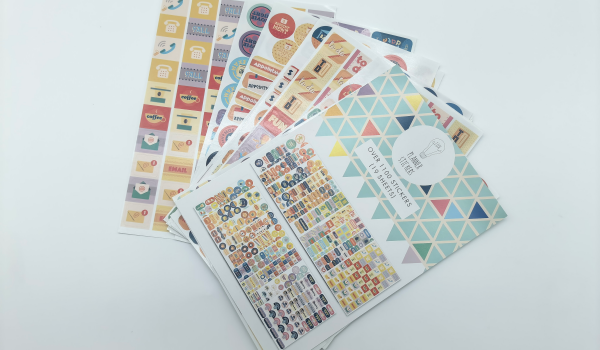
Planner stickers usually contain small icons and words, dates, thin decorative lines. Details in a design draft are often difficult to clearly represent when scaled down to the size of the final product.What looks good after repeated viewing on a computer screen,can look crowded, blurry or even mushy when printed on a small sticker sheet.
Check text, icons and spacing
Before you submit your design draft, please make a paper pattern of the design to hold it up against the printed design at the final print size of 1:1, rather than zooming in on your screen to inspect it.
Focus on the following areas:
Small words: Check if dates, abbreviations and short descriptions are readable at final size and don’t rely on zoomed screen representation.Don’t rely on an enlarged screen to check the effect. Check the effect on the 1:1 paper pattern.
Thin lines: Very thin contours can blur or become uneven in thickness. Pay attention to whether they might break during printing. Here you check if all thin lines are complete and if all edges are smooth.
Icon details: Small symbols should be kept legible and avoid overly complex details. If there are too many details, they will easily become blurred into color blocks after being reduced, and the recognition will be lost.
Sticker spacing: Allow sufficient cutting and operating space, especially when the edges of the stickers are irregularly shaped. Insufficient spacing will cause adjacent stickers to cut into each other during die-cutting, or have rough edges when being torn off.
Typesetting layout: Confirm that all stickers are within the finished product size and bleed range, and that the cutting lines do not press against key patterns or text.
For planner stickers, there is no unified “minimum font size” standard. The result will also depend on the chosen font and contrast, on the printing process, on the material, and on the real size of the sticker. The same characters, printed in 6 pt size, will appear clear in bold face under high contrast, and blurred under low contrast in a thin font.
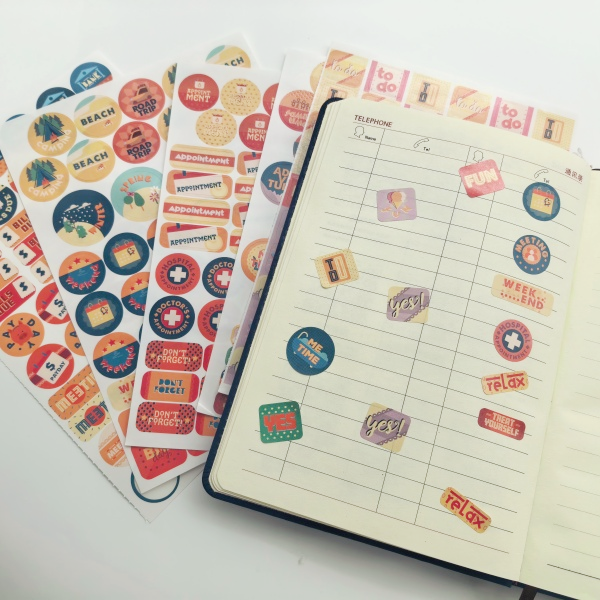
Complex designs cannot always be checked on the screen.To check the design for a more complex setup make a 1:1 physical proof for verification. Cut out the paper pattern and adhesive it on the corresponding place of the real ledger page.
Check if all dimensions are correct, the text is readable and whether the tearing is smooth. After confirming that it is correct, sign and keep the sample as the acceptance benchmark for mass production.
2. Prepare Cut Lines for Small and Detailed Designs
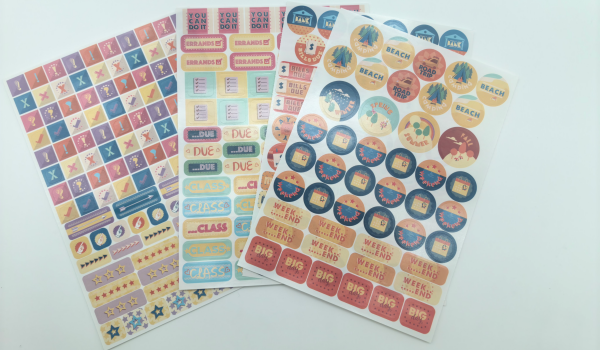
The cutting of custom stickers is a critical component of the printing process. As with the color and artwork, the cutting of stickers must also be accurately prepared to ensure the completed product has the correct appearance and will function as intended.There are two common formats: kiss-cut only cuts through the surface material and leaves the backing paper intact; die-cut cuts through the backing paper together to form an independent-shaped sticker. Planner stickers have a complicated number and style of stickers. For the convenience of storage and using, we recommended to use the kiss cut.
The following must be verified before production can be approved:
- Check knife-line spacing against equipment limits first: Small stickers sit close together; spacing under 1–2mm can cut adjacent stickers or tear the backing. Adjust to the production range before opening the die.
- Round and widen sharp inner corners: Concave corners, sharp points, and narrow areas on complex icons are hard to clean out. Simplify outlines and widen the narrowest spots at the design stage.
- Design knife lines for the peel experience: Small stickers offer little finger grip; half-cut depth, backing margin, and tear notches directly affect peeling. Don’t copy the approach used for large stickers.
- Leave a tolerance margin on the knife line: Don’t cut tight to the artwork outline. A safe margin prevents registration drift from cutting into the design or exposing white edges.
- Fix paths at the design stage, not after die opening: Dies are hard to change once made, and problems often only show up in the first die-cut batch. Adjusting vector paths early is the cheapest fix.
Physical samples can identify hard-to-detect problems in design documents and verify whether the sticker can be cleanly separated from the backing paper without tearing or lifting adjacent stickers.
3. Choose the Right Material and Adhesive for Planner Sticker
The Material for planner stickers affects more than appearance. It determines texture, writability and removable from planner pages.Stationery brands should select materials based on intended use, not just surface finish.
Choose Materials Based on Sticker Function
Functional planner stickers (habit trackers, date labels, reminder stickers) usually require writable surfaces. Decorative stickers prioritize color, transparency and visual effects.
The table below compares common material options for planner sticker printing.
| Material | Finish & Look | Key Advantages | Disadvantages | Ideal Planner Use Cases | Best Writing Tools |
| Washi Paper | Semi-transparent, soft matte texture | • Blends seamlessly into pages • Aesthetic natural look • Easy to reposition without paper damage | • Lower color saturation • Not water/oil resistant • Less suited for ultra-fine detail | Frames, borders, background layering, decorative accents | Pencil, ballpoint, permanent marker, most gel pens |
| Coated Paper | Glossy / semi-gloss, bright finish | • Excellent color vibrancy • Cost-effective • Sharp print clarity | • Not waterproof or tear-resistant • Adds thickness (can make planners bulky) | Daily schedule headers, icons, decorative labels | Permanent marker, ballpoint pen, quick-dry gel pen |
| Matte Paper | Smooth non-reflective paper texture | • Easy to write on with any pen • Great color accuracy • Natural matte look | • Vulnerable to water/smudging • Can add bulk if overused | To-do lists, habit trackers, functional writing stickers | All pens (gel, fountain pen, pencil, highlighter) |
| Clear PVC/PET | Fully transparent, high gloss finish | • Blends completely into page background • Waterproof, tear-proof, durable | • Cannot write on with water-based pens • Can feel stiff when layered | Floral/botanical graphics, illustrations, cover decorations | Oil-based permanent markers (e.g., Sharpie) |
| Matte PET | Frosted semi-transparent matte finish | • Premium anti-glare aesthetic • Waterproof & tear-resistant • Resists fingerprints | • Higher price point • Standard gel pens take longer to dry | Minimalist layouts, subtle decorative elements, overlays | Permanent marker, quick-dry oil-based pens |
Consider Removable Adhesive
Some planner stickers are designed to be applied permanently, while others may need to be removable as schedules change.Note that even if the adhesive is removable, it can often leave traces when removed. Therefore, we recommend testing the chosen material and adhesive on the paper that will be used in your planners before placing a bulk order. The stickers should lie flat in your planners.
You also need to check whether the sticker remains flat and whether removal of the sticker could damage the paper or leave any residue of adhesive.For a stationery brand developing reusable or repositionable stickers, the actual performance of the adhesive needs to be tested during the prototyping phase rather than simply reading off the material description.
4. Confirm Print Quality Before Bulk Production
Check Color and Surface Finish
Planner sticker collections typically contain matching colors for weekly layouts, decorative illustrations, and functional labels.
However, the same artwork may look different when printed on matte paper, glossy paper, or synthetic film. Surface texture, coating and printing conditions can affect the final appearance.
Printed samples are compared to approved design and color references before mass production.
If multiple stickers belong to the same collection, they can be placed together to check for obvious differences.
For designs that require specific brand colors, the availability of spot color printing (Pantone color) should be confirmed with the manufacturer in advance, as well as the feasibility, minimum order quantity, and cost of spot color proofing and mass production.
Maintain Consistency and Confirm Packaging
For repeat orders, retain the approved artwork version, material specifications, color references, and packaging requirements.
These records help suppliers reproduce an established product and reduce avoidable differences between production batches.
Packaging should also be confirmed before production. Planner stickers may be sold as individual sheets, themed collections, or multi-sheet sets. The finished sheet dimensions and packaging format should work together.
If the products require printed backing cards, inserts, or other retail packaging, provide the relevant specifications along with the sticker artwork.
Clear production records and agreed inspection criteria help both buyers and suppliers evaluate finished orders more consistently.
What to Include in a Custom Planner Sticker Printing Inquiry
When requesting a quote for custom planner stickers, providing the essential production details helps suppliers recommend suitable materials, printing methods, and finishing options.
| Information | What to Provide |
| Artwork | Design files and reference images |
| Sticker Size | Finished sheet dimensions and individual sticker sizes |
| Quantity | Number of designs and estimated quantity per design |
| Material & Adhesive | Preferred material, surface finish, and adhesive requirements |
| Cutting Method | Kiss-cut sticker sheets or individual die-cut stickers |
| Packaging | Individual sheets, multi-sheet sets, backing cards, or bulk packing |
If you are unsure about the appropriate material or adhesive, describe how the stickers will be used and provide a reference sample if available.
The printing supplier can then evaluate suitable production options based on your design, quantity, and application requirements.
FAQ
What is the best paper for custom planner stickers?
Can planner stickers be made with removable adhesive?
Are kiss-cut sticker sheets suitable for wholesale planner sticker orders?
What should I prepare before ordering custom planner stickers in bulk?
Can I print multiple planner sticker designs in one order?
Can I request samples before bulk planner sticker printing?

Need Help Customizing Your Own Packaging Design?
Whether you need Cosmetic Labels, Wine Labels, Food Labels, or Custom Adhesive Stickers, our experts can recommend the best material based on your product, application, and budget.